Novvs

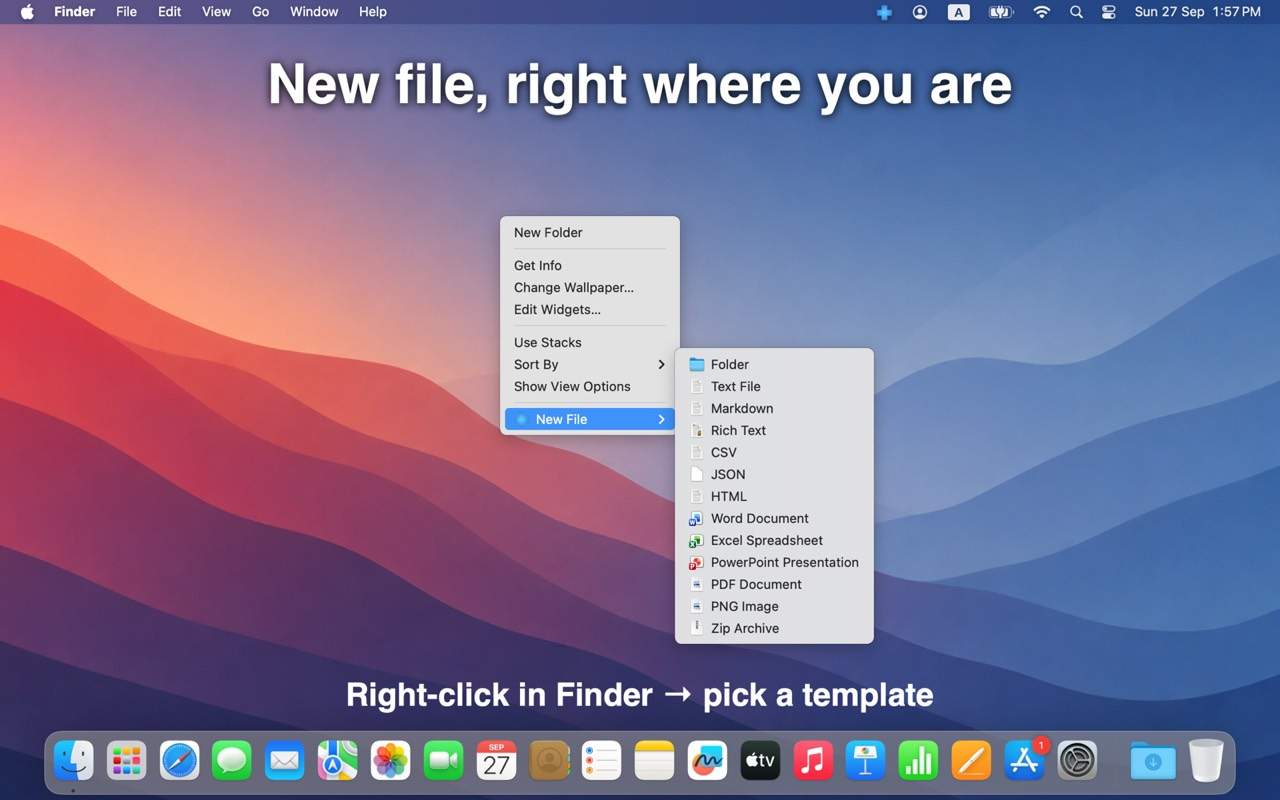
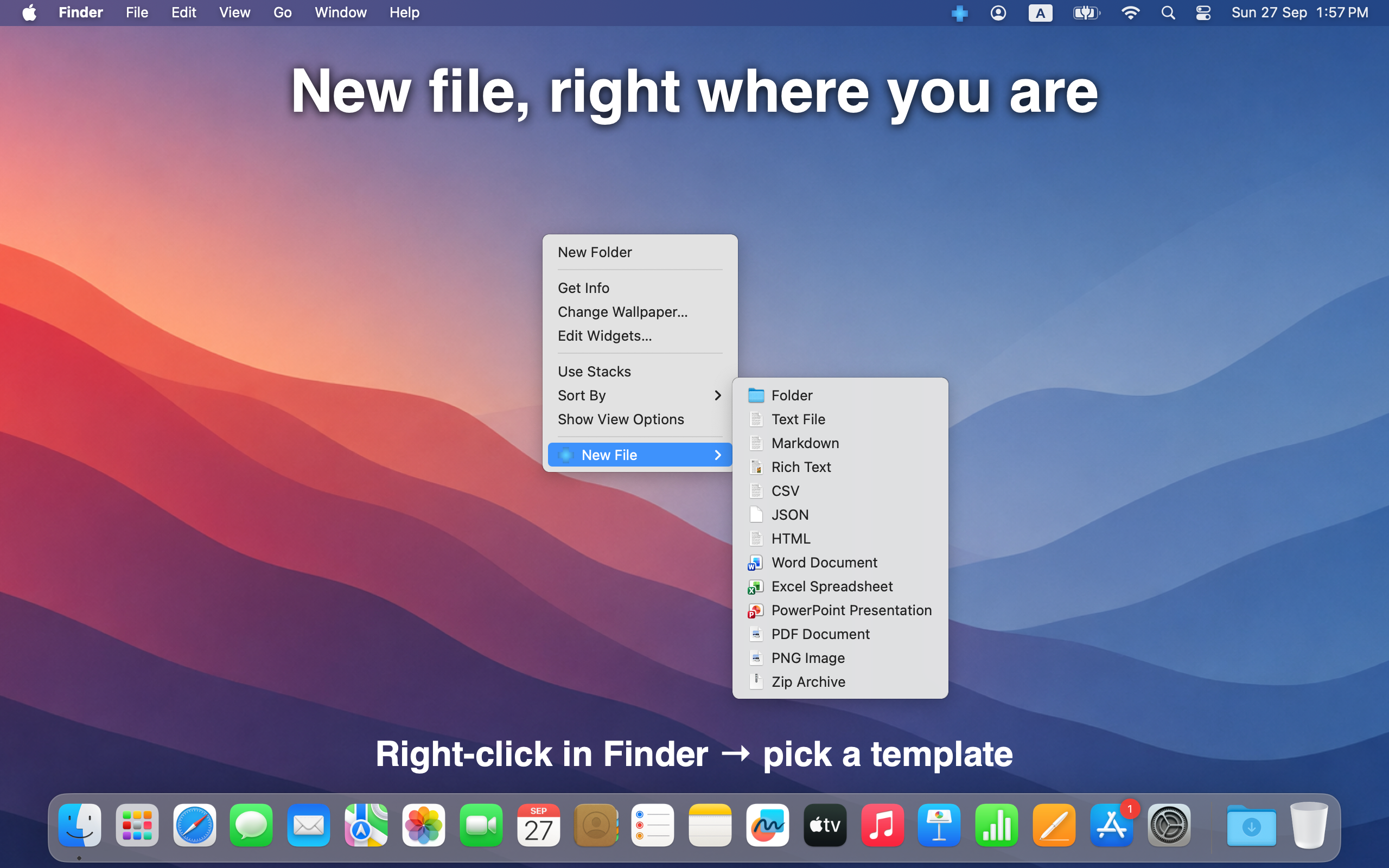
New file, right where you are.

Right-click in Finder → pick a template. Create text, Markdown, CSV, JSON, HTML, Office-style empties, PDFs, images, folders, and more — without leaving the folder you’re in.

Download on the Mac App Store

Available on the Mac App Store. No account required.

New File menu in Finder with Novvs templates

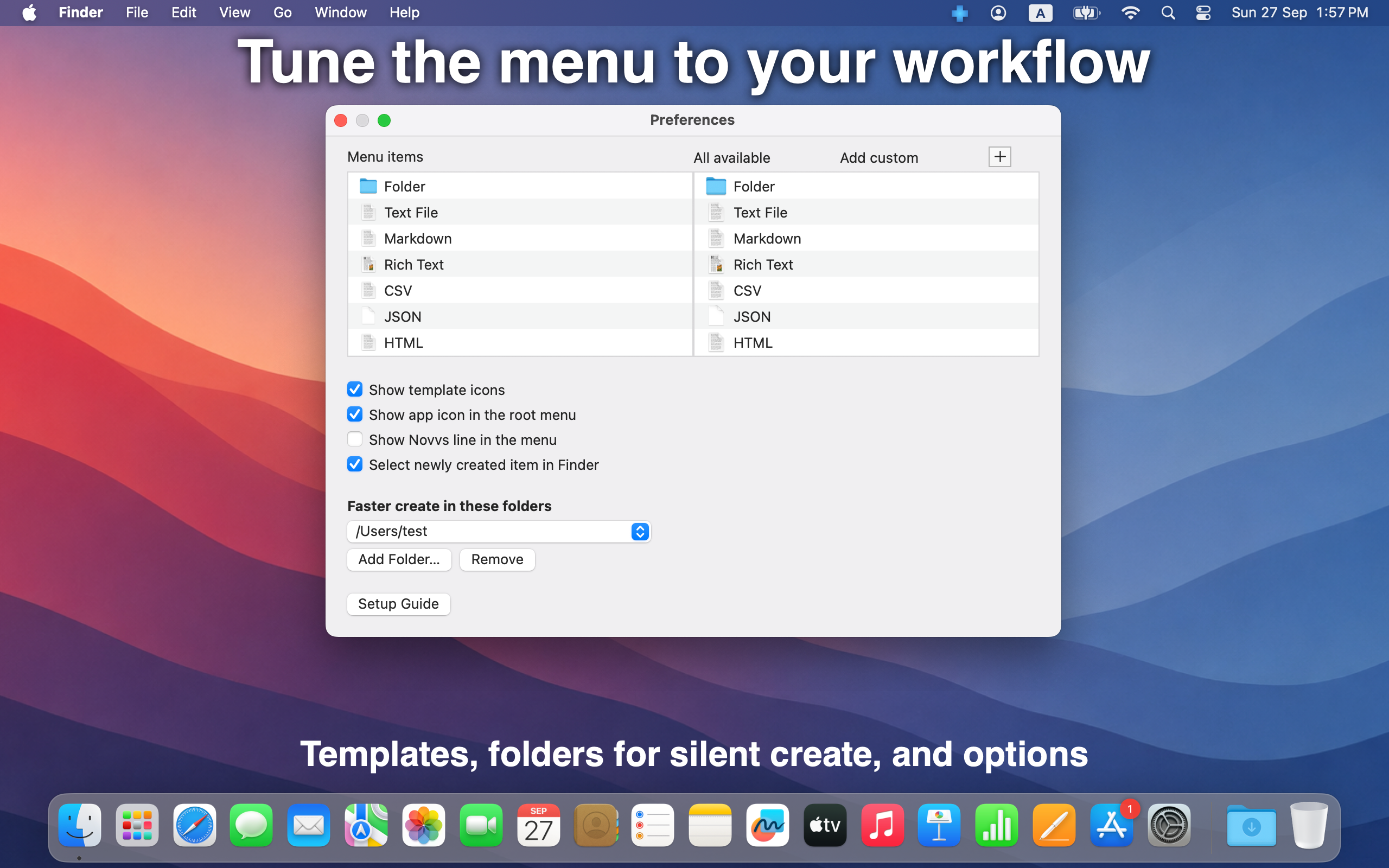
Tune the menu to your workflow.

Enable only the types you use, show icons, and select the new item in Finder after create. Grant folders for silent create — no Save dialog every time.

Preferences stay a click away from the menu bar icon. Setup Guide included.
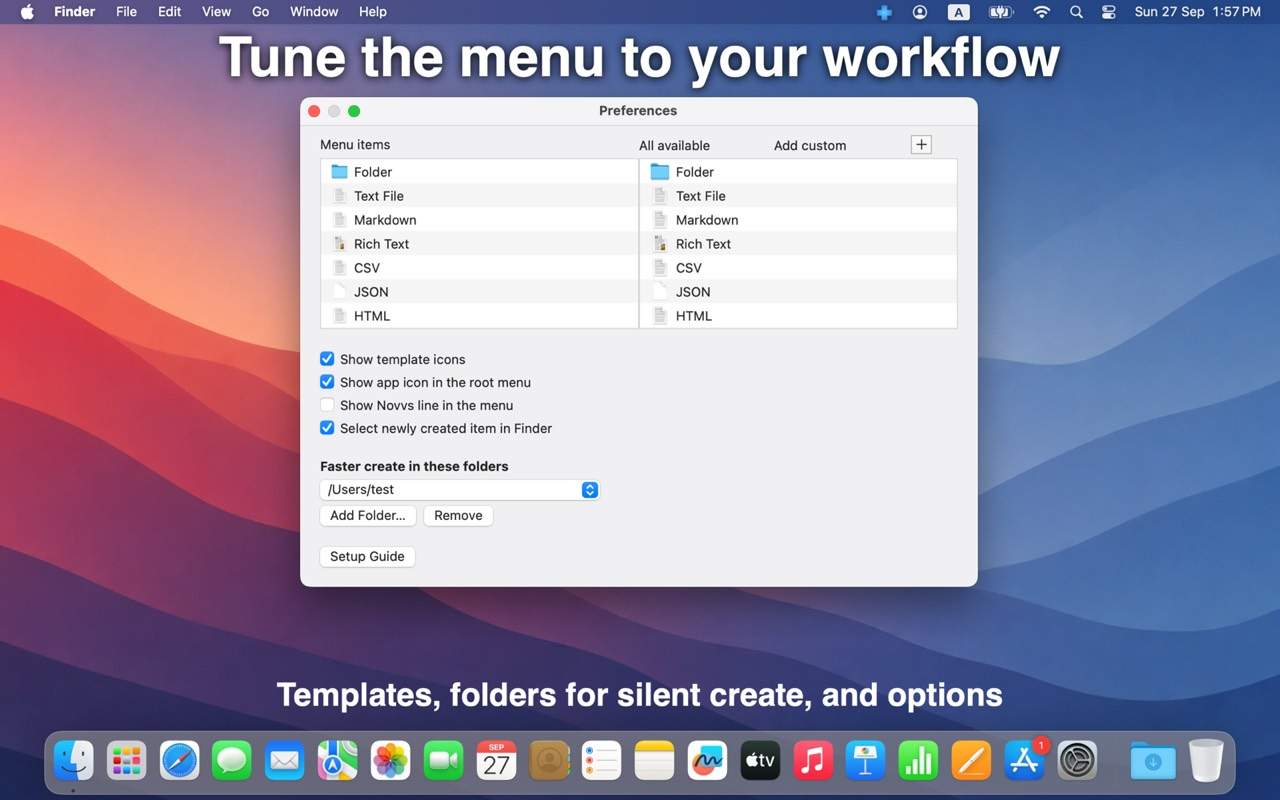
Novvs Preferences — templates and silent create folders

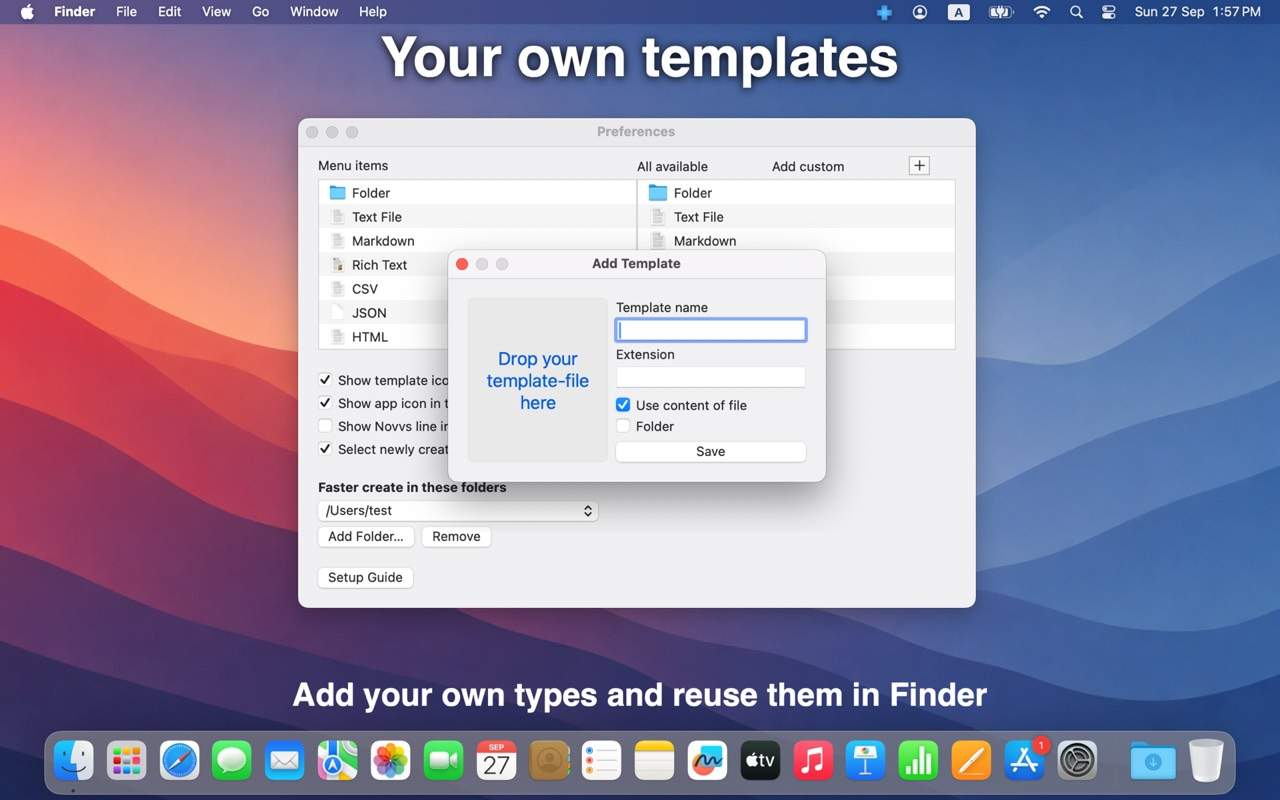
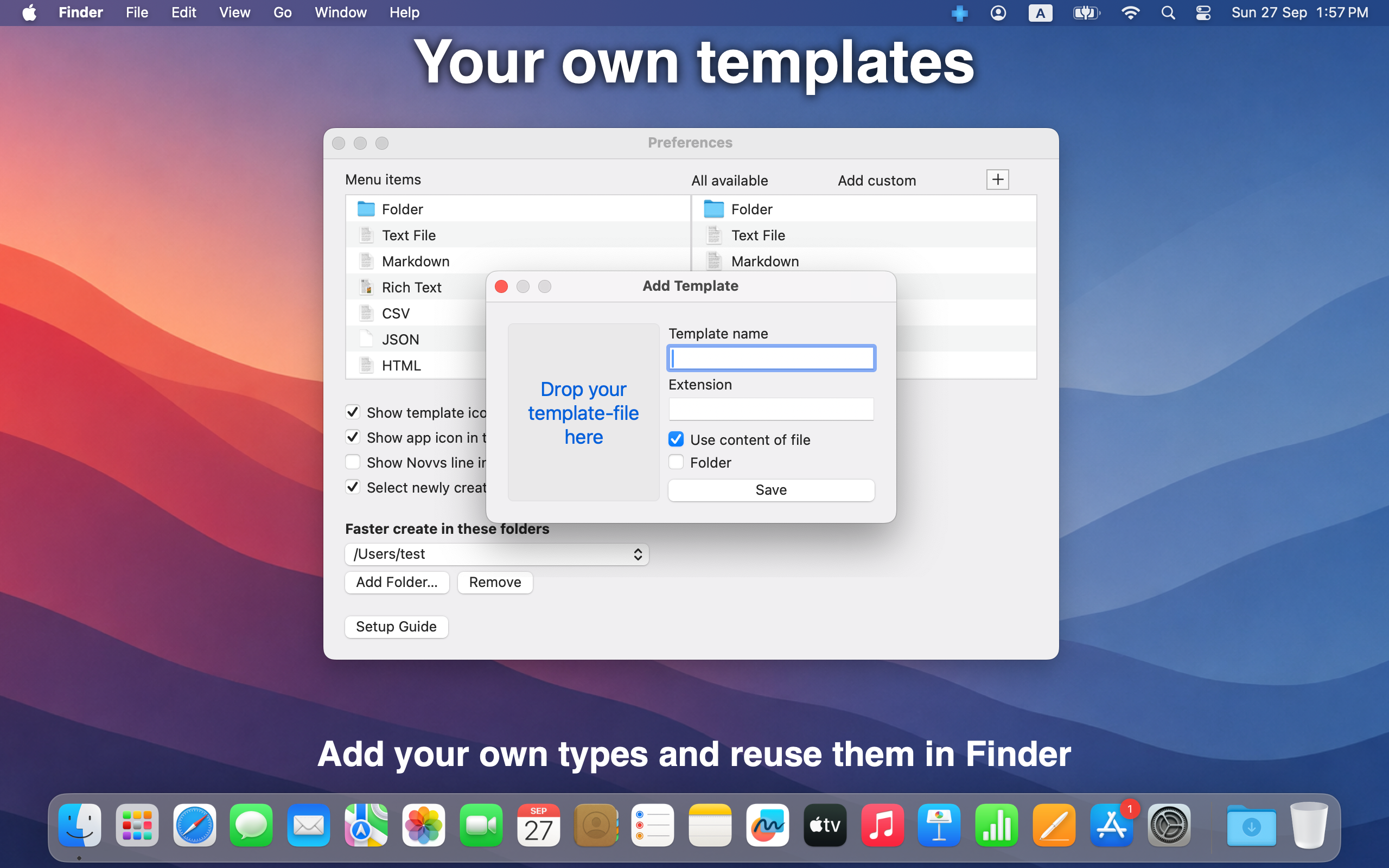
Your own templates.

Add custom types and reuse them in Finder. Drop a file, set the name and extension, and keep the content if you want — perfect for notes, scripts, and project starters.

Add a custom template in Novvs

Everything else

New files right where you work.

Available on the Mac App Store. Requires macOS 10.12 or later.

Download on the Mac App Store

Available on the Mac App Store. No account required.